We're getting used to having wireless Internet access on our portable devices, as we check e-mail and download apps on our smartphones, browse the Web and watch YouTube videos on our Apple iPad, and download books in minutes on our Amazon Kindle E-book reader.
But the download speeds of today's 3G (third generation) mobile data services are still a bit sluggish, as it takes noticeable time to load a new page or download a song. Mobile data access still feels more like yesterday's now-poky DSL service over phone lines than the kind of wired broadband services that we now enjoy at home.
But that's changing, with the arrival of next generation "4G" mobile broadband service, stepping up real-world data rates on the order of 10X faster, from DSL to home broadband rates (i.e., increasing download speeds from today's around 500 Kbps - 1.5 Mbps to 5 - 12 Mbps, and upload speeds from around 500 Kbps to 2 - 5 Mbps).
 And this promise is now actually here, as Harry Martin of Verizon Wireless explained at last night's meeting of the Princeton Chapters of the ACM and IEEE Computer Society. Harry is Director of Advanced Technologies for Verizon Wireless’ Philadelphia tri-state region, which is one of the initial markets for the recent launch of the Verizon 4G LTE network for next-generation wireless broadband service.
Martin explained that LTE (Long Term Evolution) in not just a Verizon technology, it's a widely-adopted international standard, with some 90% of carriers planning to move to LTE for 4G service, promising easier roaming when traveling overseas and economies of scale to help reduce product costs.
Beyond better data rates, LTE technology also provides benefits including lower power usage for mobile devices, reduced latency for better responsiveness (half that of 3G), more efficient use of spectrum to support more simultaneous users, and enhanced security for authenticating your SIM cards and protecting message traffic from spoofing. Plus, the LTE radio technology and spectrum wavelength reduces multipath and multiuser interference, and can penetrate further into structures, resulting in better connectivity in current wireless dead spots.
Martin also described how multi-antenna technology offered the future promise of redoubling the LTE data rates, particularly as Verizon has additional spectrum available in parts of the country.
Verizon Wireless powered on its 4G LTE network on December 5, initially in 38 major metropolitan areas covering more than 110 million Americans, plus at more than 60 commercial airports. Verizon expects to complete the LTE roll-out with full nationwide coverage in 2013.
Verizon's initial service is targeted to business road warriors, using a USB modem that you plug in to a laptop to go online. Verizon offers two USB modems, the LG VL600 and Pantech UML290, which are available for $99.99 (after a $50 mail-in rebate, and with a new two-year customer agreement). These both are backwards compatible with the existing 3G data service in areas not currently covered by LTE.
The initial Verizon 4G LTE mobile broadband service is available with two monthly data service plans similar to existing 3G plans: $50 with a 5 GB monthly allowance, or $80 for 10 GB, both with $10 per GB overage charges for additional usage (the same rate as the lower allowance).
However, these monthly bandwidth caps certainly are not 10X more than current 3G plans, so don't expect to significantly change your usage patterns, for example by starting to stream video all day -- It's still smart to take advantage of Wi-Fi when available, especially for big downloads.
(Actually, at a 10 Mbps download speed, you can move 4.5 GB per hour, so you could blow though the Verizon $50 for 5 GB monthly plan in a little over an hour of continuous downloading; At $10 / GB, that's $45 per hour of downloads.)
But even with this early service, you can see how LTE can provide much faster and more efficient access to must-have information, especially for the initial market of business users. For example, you can download a 700 MB CD of data files in a little over a minute, or upload a 10 MB PowerPoint presentation in under 25 seconds.
And this is just the beginning, as Martin discussed the potential of LTE to support the growing demand for always-connected people and devices. To illustrate this revolution, he showed the Social Media Revolution video (on YouTube), based on the book Socialnomics by Erik Qualman, with startling statistics on the growth and impact of social media and mobile.
For example, with faster uploads, LTE can provide better two-way high-def video conferencing and even remote video monitoring. With lower latency, it promises better interactive multi-player gaming. And with low-cost chips, it allows a much broader range of devices to be connected and inter-connected, so, for example, your car or even washing machine can report problems and call for maintenance.
So 4G is here, at least for road warriors, and it's coming soon to broader use in a wide range of mobile phones and other devices, with exciting possibilities for new applications and services from desktop connectivity on mobile devices.
- See the article on Harry Martin's talk in Princeton in the U.S.1 Newspaper
- See my article on Holiday Gadgets 2010: Portable and Wireless for more on 4G services and current mobile wireless products
- See my Mobile Communications Gallery for more on mobile data services and products
 Find
Socialnomics by Erik Qualman on Amazon.com
Find
Socialnomics by Erik Qualman on Amazon.com

 To check out mobile Internet on my laptop, Verizon Wireless kindly loaned me a Sierra Wireless AirCard 595 to try out their enhanced EV-DO Rev. A service on a recent trip It delivered the promised DSL-like data rates for my notebook computer -- download to over 1,000 kbps and upload to around 720 kbps (kilobits per second).
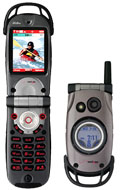 Here's something different to combine the rugged lifestyle with all those cool wireless phone services -- camera, mobile Internet, video and audio downloads, wireless navigation, and more -- the
  Never fear, your phone can recognize the music for you: Just hold your handset up to the speaker for 10 seconds, wait a beat, and then your phone displays the song title, artist, and even album that you are listening to. It can also e-mail you the information to look up later. Or you can buy and download songs immediately.
 You can go back to your PC, check your e-mail, and buy songs at the
  GPS has gone portable, with handheld units like the
  You already can get popular TV channels with the
  It's also the model for the
 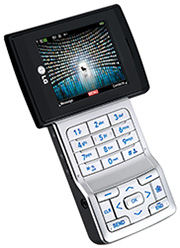 Verizon Wireless has introduced the MediaFLO service in the U.S. as V CAST Mobile TV (
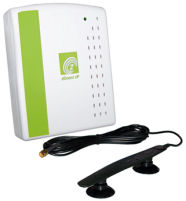 We tried out the zBoost zPersonal (zP), which creates a cell zone of 4 to 6 feet radius, for a single user (one call at a time), and works with both cellular bands ($169).
 The
The 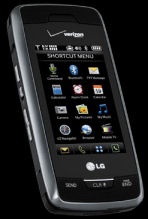 The Voyager (technically the
  The inner display in landscape orientation is better for interactive activities like text messaging (with the keyboard) and Web browsing over Verizon's high-speed EV-DO wireless broadband service.
  I've seen big computer rooms, and grids of mesh computers, but I'd never seen 400 computers hanging from the ceiling until I visited the WINLAB facility in North Brunswick, New Jersey.
 The
The  Ta da! The
 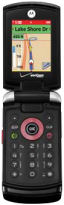 Yes, Verizon Wireless does Push to Talk too -- With the
  The
The  The LG Chocolate has been a popular line of multimedia phones, and now Verizon Wireless has the next version -- the
  Mobile phones are a modern miracle, as we have grown accustomed to connecting to a cell tower anywhere around the globe. But there still are remote regions where travelers need to rely on satellite phones to keep in touch.
 While you can use a satellite phone (see
  PLBs from companies including
  You may already have a wireless Bluetooth headset for chatting on the go. But today's noise reduction technology makes conversations much more pleasant with devices like the second-generation
  Your car has become a great place to listen to music, with in-car entertainment systems with great speakers, and digital radios with informative displays. So until Bluetooth comes to cars, devices like the
 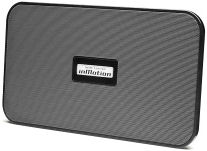 A wireless headset is great for listening privately, and an in-car transmitter lets you talk hands-free and share your music on the go, but what about sharing with a group? The next step is a portable wireless speaker unit like the
 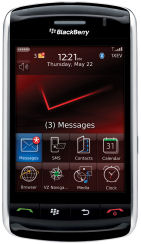 The new
  I'm not sure it's practical, but it sure is fun -- the
 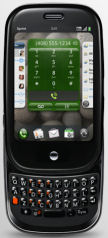 The unveiling of the
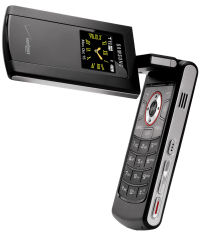 However, phones still are designed for their primary function, and are clumsy to use for taking photos, which is why the
  The
The  The
The 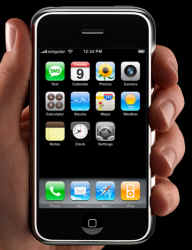 The new
 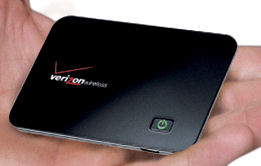 The
The  The
The  There's also a Start menu screen with icons of all the installed applications, for those who want the comfort of commonality with Windows (However, the Start menu is accessed from the top left of the screen, instead of the bottom left.) One of the four physical buttons below the screen also is a dedicated Windows key, which also brings up the Start screen (or press and hold the phone End call key for the Today / Home screen.
 While Microsoft is making a major push with its Windows Mobile (now
  Meanwhile, the evolution of the Zune line has lead to the recent introduction of the
 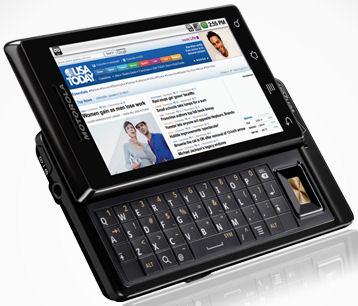 The physical design of the Droid is a slider phone with a full QWERTY keyboard, large 3.7" high-res (854 x 480) display, and 5 megapixel camera with LED flash.
  But for the moment, you can turn your Zune HD into a HD video player with the
  Microsoft recently released a set of new games optimized for the Zune HD to give you a sense of the device's capabilities.
 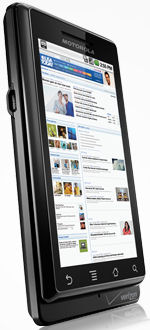 Verizon Wireless has released a new software update for the
 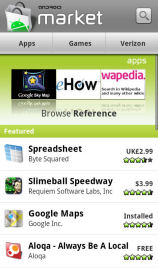 On the Droid phone itself, the Android Market application provides a great interface to browse and search the available applications, in different categories, and just the paid or free apps.
  So, I wanted to talk about the
  For example, the
  But the Droid phone has another hardware component that can be used for lighting -- the LED flash light next to the camera lens on the back of the phone.
  Another fun flash-light app to brighten up the Droid screen in a different way is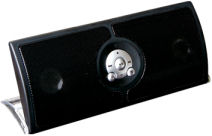
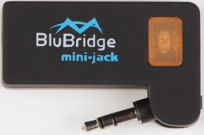
 But E-ink is not just for digital paper for electronic books. The
 The
The  Or, you can download the
  Windows Phone 7 is a significant change for the former Windows Mobile platform (see
  Or try
  But why require barcodes? The new
  Shopper packages the product search features demonstrated in the earlier
  The new
  My answer is to set up a simple rig with the
 Also --
 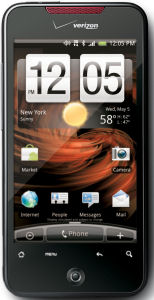 The Incredible is the latest incarnation of the
  Time for a tasty frozen treat -- Google announced the details of the upcoming release of
  The difference is clear with the new
  Not surprisingly, the bigger screen on the Droid X results in a bulked-up case -- 5 x 2.6 x 0.4 inches, compared to 4.6 x 2.3 x 0.47 for the Droid Incredible. (Yes, the Droid X actually is thinner, with a slimmer profile that swells out at the top for the camera. The Droid X also is almost an ounce heavier at 5.5 vs. 4.6 ounces.
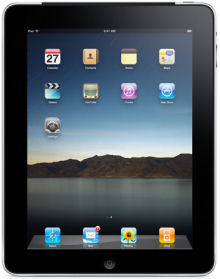 Yep, the
  Which explains the
 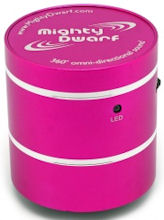 The
The